
$ claude mcp add electron-viewer -- npx -y @acertijosapps/electron-viewer@1.1.0 mcp$ npx @acertijosapps/electron-viewer@1.1.0Description
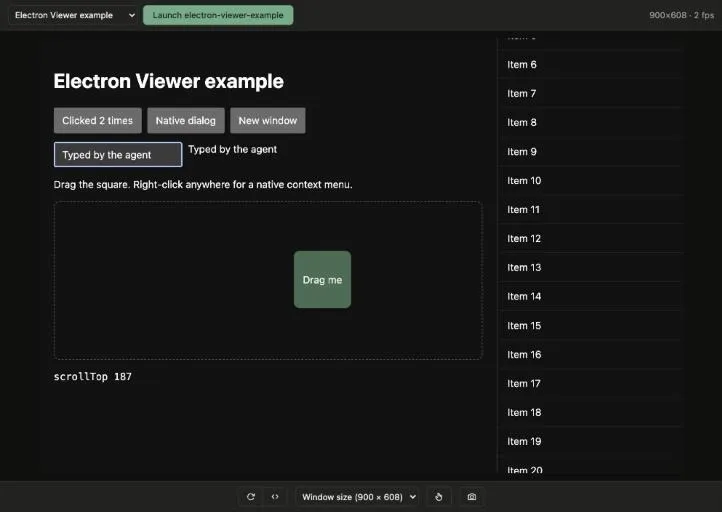
Built for the browser pane of AI coding tools such as Claude Code. Everything goes through the Chrome DevTools Protocol (CDP): no Playwright, no Puppeteer and nothing injected into your app.
- Live video from the CDP screencast; it keeps streaming while the window is covered or minimized.
- Real input: mouse, click, double click, right click, drag, wheel and full keyboard, including macOS shortcuts, IME and dictation.
- Touch mode: the agent can tap, swipe, long press and pinch, for touch-first and kiosk apps.
- Every app and window: launch your project with electron . from the viewer or attach to an app already running with --remote-debugging-port.
- Main process: through the Node inspector, the agent can run code there, resize the real window and open DevTools.
- MCP server with the same actions as tools, plus JavaScript in the renderer and main process, the accessibility tree and console logs.
Requires Node.js 18+ and works on macOS, Linux and Windows. Nothing to add to your app. Also listed in the official MCP Registry as io.github.acertijosapps/electron-viewer.